— 9 MIN
Portfolio Reporting Automation for Financial Advisors: A Controlled Workflow
Learn how financial advisors can automate portfolio reporting while preserving data quality, review controls, narrative ownership, disclosures, and client-specific context.
Portfolio reporting often becomes inefficient for a simple reason: every stage is treated as a separate task.
Holdings are exported from one system. Performance is calculated in another. Charts are copied into a presentation. Commentary is rewritten in a document. Disclosures are added from an older template. A small data change forces the process to begin again.
Portfolio reporting automation should reduce those manual handoffs.
It should not remove the advisor’s control over interpretation, context, or the final client document.
The strongest workflow automates repeatable production while preserving review and accountability.
What Portfolio Reporting Automation Means
Portfolio reporting automation is the use of connected data, repeatable calculations, reusable templates, and workflow controls to prepare portfolio reports with less manual work.
It may include:
- Holdings imports
- Market-data updates
- Calculation of allocation and risk measures
- Chart generation
- Benchmark comparisons
- Template population
- Narrative placeholders
- Version control
- Review status
- Export to PDF, DOCX, or spreadsheet formats
Automation is not the same as automatic delivery.
A report can be generated efficiently while still requiring advisor review, compliance checks, and client-specific customization.
The Difference Between Reporting Content and Reporting Workflow
Two questions should remain separate.
What Should the Report Include?
This concerns metrics, charts, benchmark context, methodology, and explanatory content.
The planned Investment Performance Reporting for Financial Advisors article addresses the structure and contents of a useful report.
How Should the Report Be Produced?
This concerns data flow, calculation consistency, templates, controls, exceptions, review, export, and delivery.
Portfolio reporting automation is primarily an operating-workflow question.
Keeping those intents separate helps avoid turning one page into an unfocused guide to everything related to reporting.
1. Establish a Reliable Source of Portfolio Data
Automation begins with the source data.
Possible inputs include:
- Custodian files
- Brokerage connections
- Portfolio accounting systems
- CSV imports
- Manual holdings
- Model portfolios
- Security reference data
The workflow should preserve instrument identity, account structure, currency, quantity, and valuation date.
Before a report is generated, the system should identify exceptions such as:
- Missing prices
- Unrecognized securities
- Duplicate holdings
- Stale data
- Invalid quantities
- Inconsistent currencies
- Account totals that do not reconcile
Automating incorrect data only produces incorrect reports faster.
2. Standardize Calculations
Every report should use consistent definitions.
Standardization may cover:
- Portfolio weights
- Return periods
- Benchmark selection
- Volatility
- Drawdown
- Sharpe ratio
- Beta
- Value at Risk
- Expected Shortfall
- Concentration
- Exposure
- Scenario assumptions
The report should show the relevant period, currency, methodology, and benchmark.
A common source of inconsistency is rebuilding calculations in spreadsheets for each client. A connected calculation layer can reduce formula drift and make results easier to review.
3. Build Reusable Reporting Components
Templates should be modular rather than rigid.
Reusable components may include:
- Cover page
- Executive summary
- Portfolio allocation
- Holdings
- Performance
- Risk metrics
- Benchmark comparison
- Scenario analysis
- Model comparison
- Methodology
- Disclosures
- Next steps
The objective is not to include every section in every report.
A modular system allows the advisor to select the sections relevant to the client conversation while preserving consistent definitions and formatting.
4. Separate Calculated Facts From Commentary
Automated reporting becomes risky when generated language is treated as unquestionable.
Reports should distinguish among:
- Portfolio facts
- Calculated metrics
- Modeled estimates
- Advisor observations
- Client-specific context
- Proposed actions
- Disclosures
For example:
Calculated fact: The largest five holdings represent 42% of the analyzed portfolio.
Interpretation: Portfolio outcomes may be more dependent on a limited number of companies.
Advisor context: The concentration is primarily associated with long-held employer stock.
These layers should not be merged into one automatic conclusion.
The advisor should be able to review, edit, remove, or expand the narrative.
5. Create an Exception Workflow
A reporting system should not silently force every portfolio into the same template.
Exceptions can include:
- A security without sufficient history
- An unsuitable benchmark
- Missing cost basis
- Incomplete account data
- A portfolio with multiple currencies
- An instrument unsupported by a calculation
- A metric that cannot be compared consistently
- A scenario that does not apply
The system should flag the exception and explain what was excluded or approximated.
A transparent “not available” is more reliable than false precision.
6. Add Review and Approval Controls
Automation should make review easier to document.
A controlled workflow may include statuses such as:
- Data imported
- Data validated
- Calculations complete
- Commentary drafted
- Advisor reviewed
- Compliance reviewed, where required
- Approved for delivery
- Archived
The report should preserve the version that was actually delivered.
Useful controls may include:
- Report owner
- Review date
- Calculation date
- Data date
- Version number
- Change history
- Approval status
- Disclosure version
The purpose is not bureaucracy. It is clarity about who reviewed what and when.
7. Preserve Client-Specific Context
Automation is most valuable when it removes repetitive work without making every report generic.
Client-specific context may include:
- Investment objective
- Time horizon
- Withdrawal needs
- Concentrated positions
- Tax considerations
- Restricted securities
- Household structure
- Relevant model portfolio
- Purpose of the meeting
- Questions the client raised
A template should provide a structure for the conversation, not replace it.
8. Keep Reports and Proposals Connected
Portfolio reporting and proposal creation often use the same analytical evidence.
A connected workflow can reuse:
- Portfolio holdings
- Allocation
- Risk metrics
- Model comparisons
- Charts
- Methodology
- Disclosures
The difference lies in the narrative.
A report may explain where the portfolio is today. A proposal may also compare an alternative and explain how the proposed approach differs.
When the workflows are disconnected, advisors repeatedly export, copy, paste, and rebuild the same content.
9. Automate Exports, Not Judgment
Useful automation can include:
- Updating charts when holdings change
- Refreshing tables
- Applying a firm template
- Populating standard methodology notes
- Exporting to Word or PDF
- Naming and archiving the final file
- Recording the version
The final conclusions should remain reviewed.
Automation should not:
- Select a model portfolio
- Decide suitability
- Recommend a security
- Approve disclosures
- Ignore exceptions
- Deliver a report without the firm’s required review
The technology supports the process. It does not assume professional responsibility.
A Practical Implementation Sequence
Advisory firms can introduce automation in stages.
Phase 1: Standardize
Define calculation methods, report sections, naming conventions, and approved disclosures.
Phase 2: Connect Data
Reduce repeated manual entry and create a process for validating imported holdings.
Phase 3: Reuse Analytics
Generate allocation, risk, performance, and comparison outputs from the same calculation layer.
Phase 4: Introduce Templates
Populate reusable report and proposal sections while keeping them editable.
Phase 5: Add Review Controls
Track exceptions, ownership, versions, approvals, and delivery status.
Phase 6: Measure the Workflow
Monitor preparation time, error rates, revision frequency, and turnaround time.
The firm does not need to automate everything at once.
Metrics for the Reporting Workflow
Operational metrics can include:
- Average preparation time per report
- Percentage of reports requiring manual data correction
- Number of calculation exceptions
- Number of revisions before approval
- Time between portfolio update and client-ready document
- Percentage of content reused from approved templates
- Number of reports delivered with outdated data
- Advisor time spent on production versus interpretation
The goal is not simply to produce more reports. It is to spend less time rebuilding information and more time reviewing what matters.
How Genesis Risk Monitor Supports a Connected Workflow
Genesis Risk Monitor connects portfolio analysis, advisor-created model comparison, and editable proposal creation.
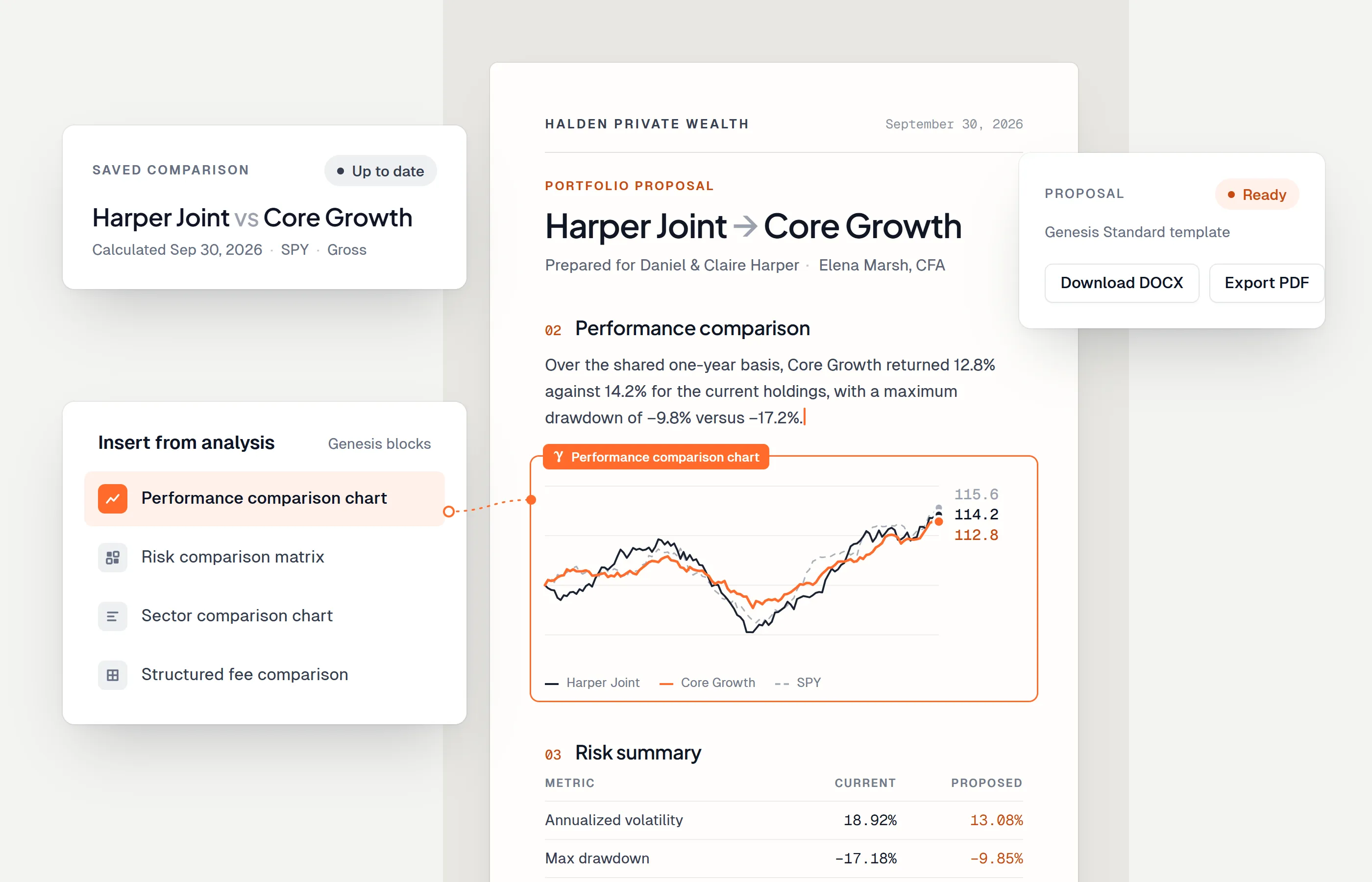
Advisors can import or build portfolios, review allocation and risk, compare the portfolio with selected models, carry relevant evidence into an editable document, and export to Word or PDF.
This reduces the manual work between analysis and client communication.
Genesis Risk Monitor does not automatically approve or deliver client documents. The advisor remains responsible for reviewing data, assumptions, commentary, disclosures, and the final document.
Final Thoughts
Portfolio reporting automation should improve consistency without removing professional control.
The most valuable workflow:
- Starts with reliable data
- Uses standardized calculations
- Flags exceptions
- Reuses approved components
- Keeps commentary editable
- Preserves review and version history
- Connects analysis with the final document
Automation should reduce production work. It should leave judgment where it belongs.
Disclaimer: This article is for informational purposes only and does not constitute financial, legal, regulatory, or compliance advice. Reporting and review requirements vary by firm and jurisdiction.
Frequently asked questions
What is portfolio reporting automation?
Portfolio reporting automation uses connected data, repeatable calculations, templates, and workflow controls to reduce the manual work required to prepare portfolio reports and client documents.
Which parts of portfolio reporting should be automated?
Data imports, portfolio calculations, chart updates, reusable definitions, template population, and version tracking can often be automated. Advisor interpretation, client-specific commentary, disclosures, exceptions, and final approval should remain controlled.
Does reporting automation remove the need for review?
No. Automation can reduce repetitive production work, but reports still require data validation, exception handling, methodology review, narrative review, and approval before delivery.
How is portfolio reporting different from an investment proposal?
A portfolio report generally explains current holdings, performance, allocation, and risk. An investment proposal may also compare alternatives and present a proposed approach. The workflows can share data and analytics but serve different communication purposes.