Analyze, Compare, and Propose in one advisor workflow
Portfolio risk analytics and proposal software for independent financial advisors and RIAs.
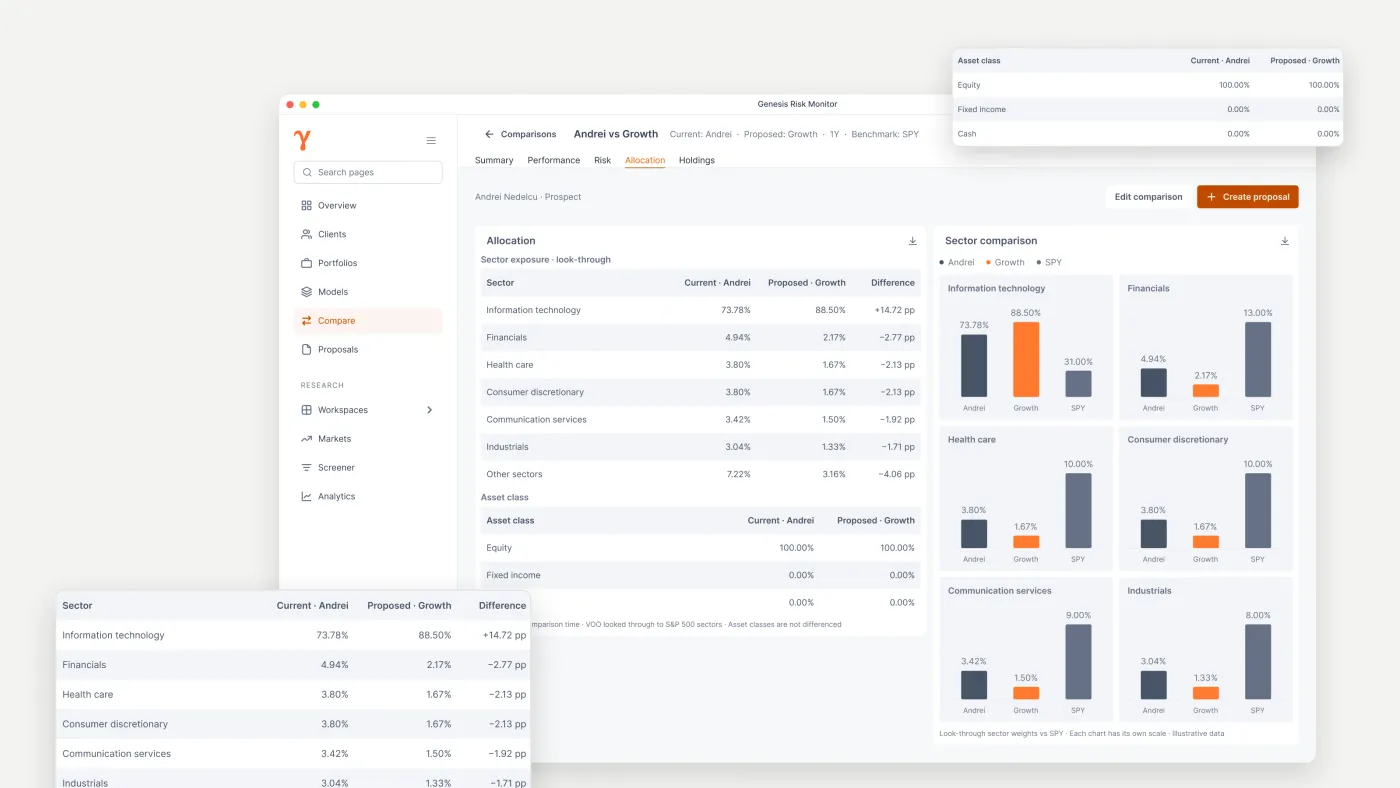
Support recurring portfolio conversations without rebuilding the evidence
Analyze client and prospect portfolios, compare them with advisor-created models, and turn the completed work into an editable Word or PDF proposal. Professional judgment and the final client communication stay with you.
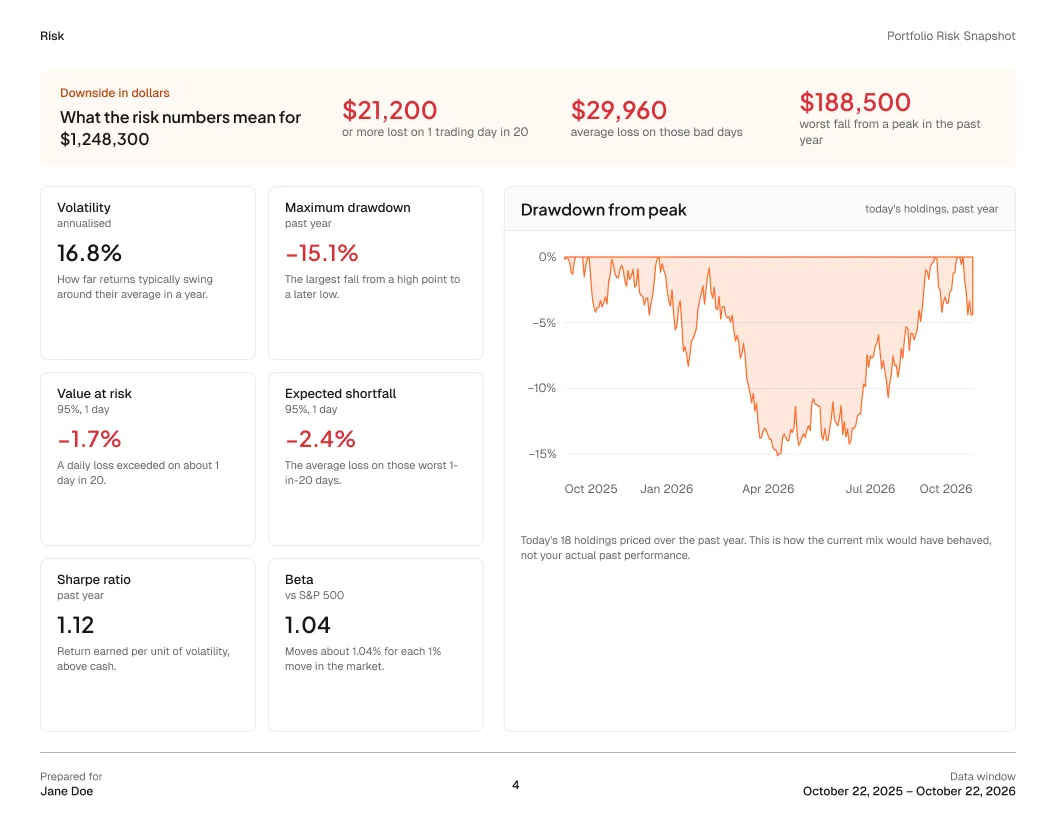
Portfolio risk analytics software built for advisors
See a client or prospect portfolio the way a risk team would: volatility, maximum drawdown, value at risk, expected shortfall, Sharpe and Sortino ratios, beta and tracking error, measured against a benchmark over the same window.
Concentration and exposure sit beside the numbers, so you can explain where the portfolio's risk comes from, not just how large it is.
Explore portfolio risk analytics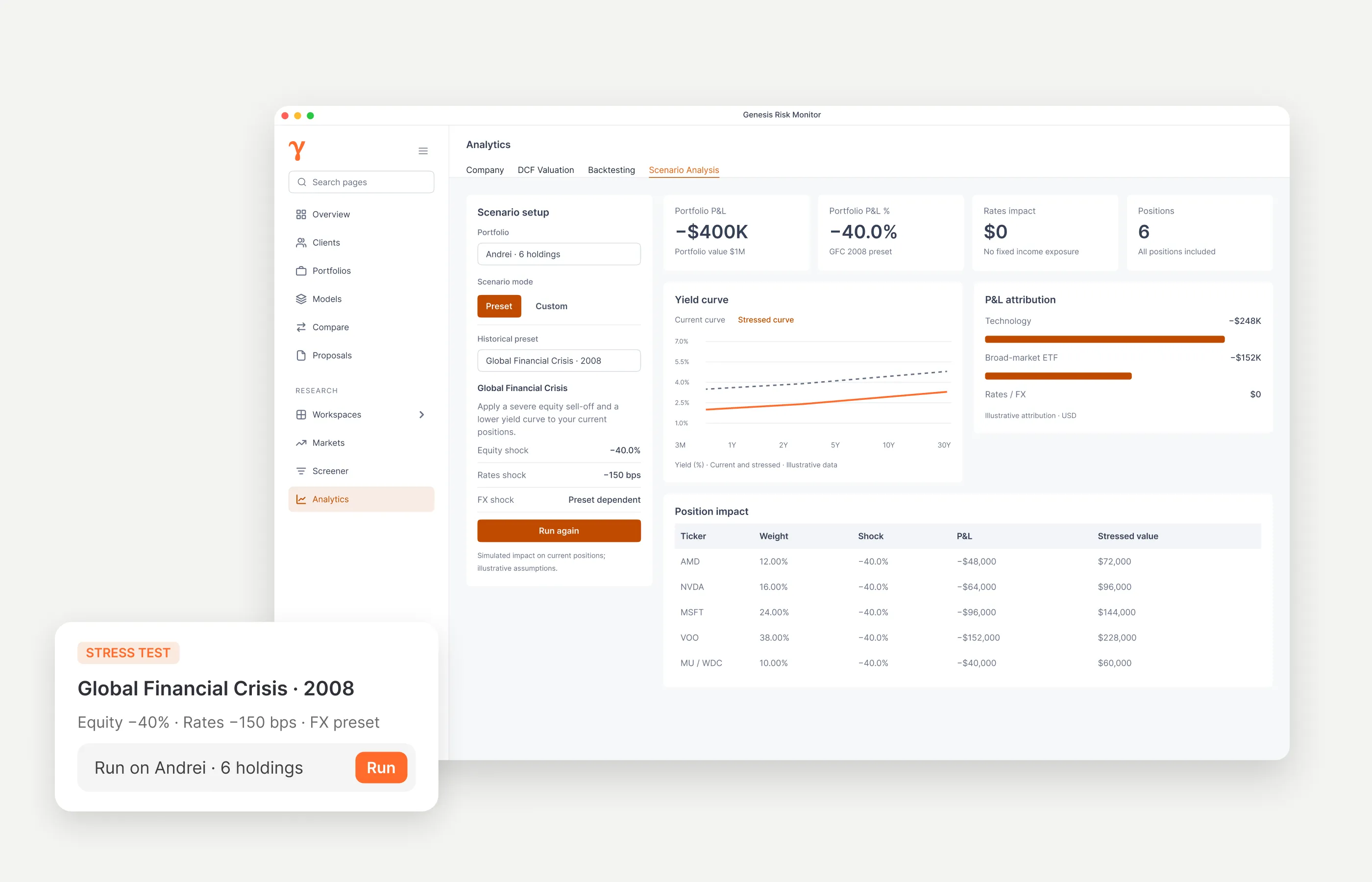
Stress tests and backtests for the client conversation
Run a supported historical scenario, such as the 2008 Global Financial Crisis, or a custom equity and rates shock, and see the estimated impact on each position in dollars.
Backtests show how today's mix would have behaved in the past, giving the client a concrete picture of potential downside before any change is proposed.
Read: how to stress test a portfolio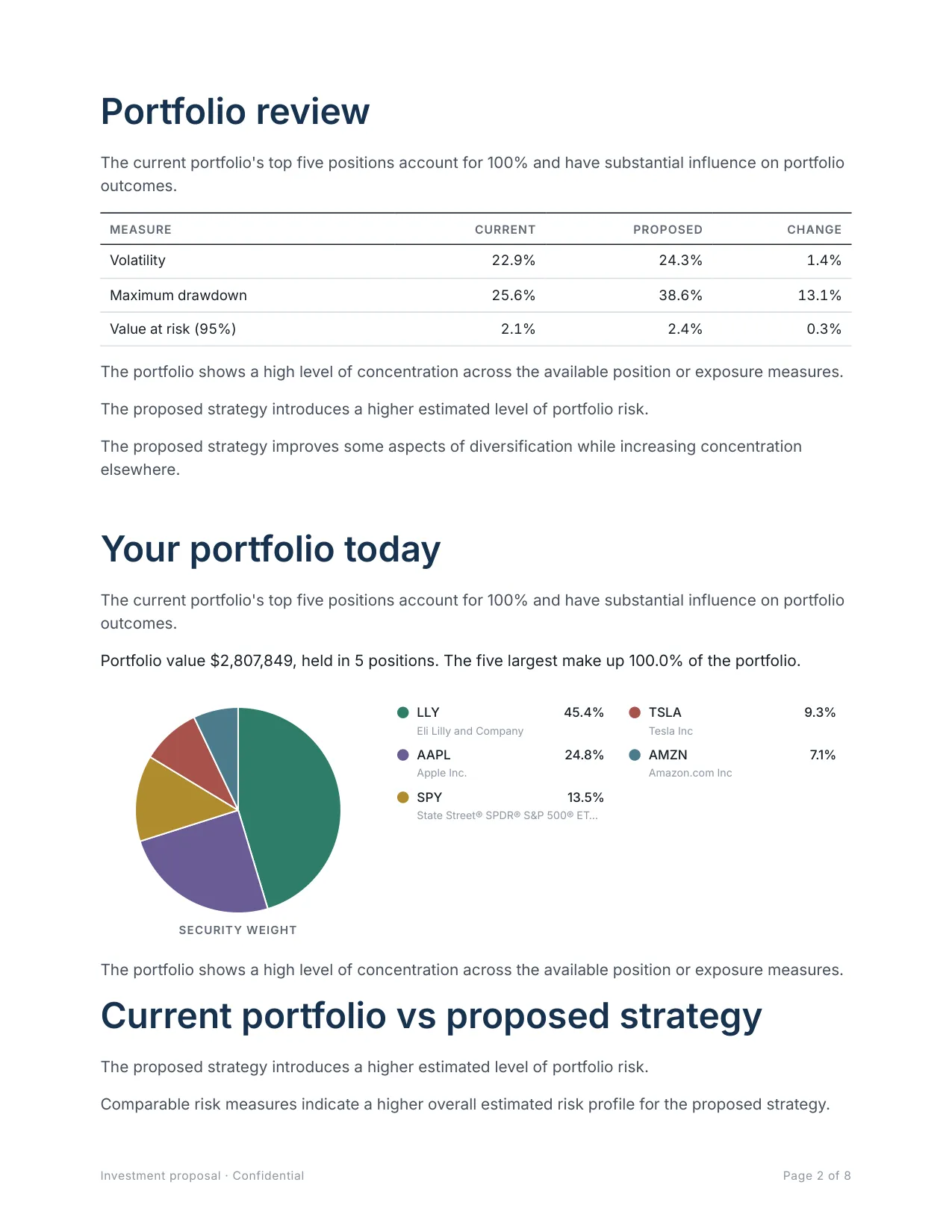
Investment proposal software with performance and risk comparisons
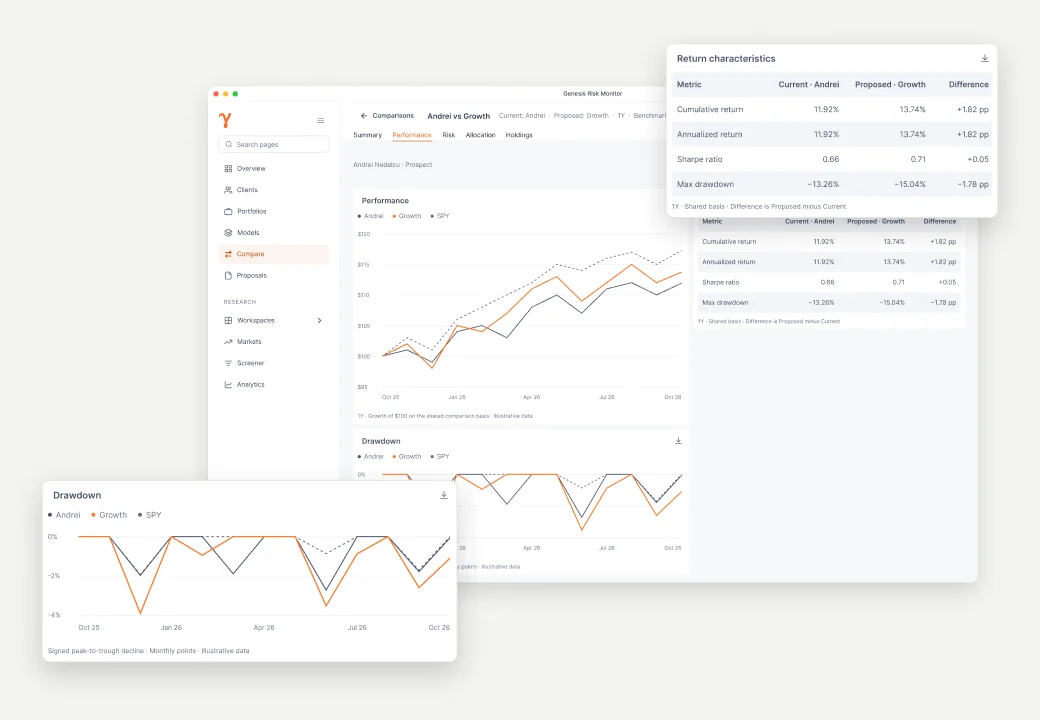
Proposal Builder turns the completed analysis into a client-ready investment proposal: current versus proposed risk, potential downside, sector and instrument shifts, performance against a benchmark, and the methodology and disclosures.
The narrative, charts and tables stay editable, so the proposal reads in your voice. Export it to Word (DOCX) to keep editing, or to PDF for delivery.
Download a sample investment proposalFrom portfolio to proposal,
in four steps
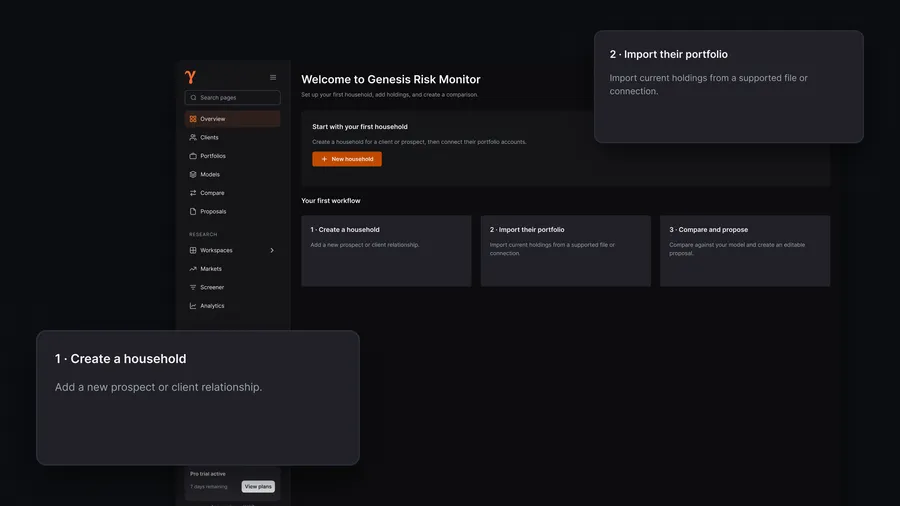
Bring in the portfolio
Import a client or prospect portfolio, use read-only brokerage-connected holdings, or build positions directly in Genesis Risk Monitor.
Learn more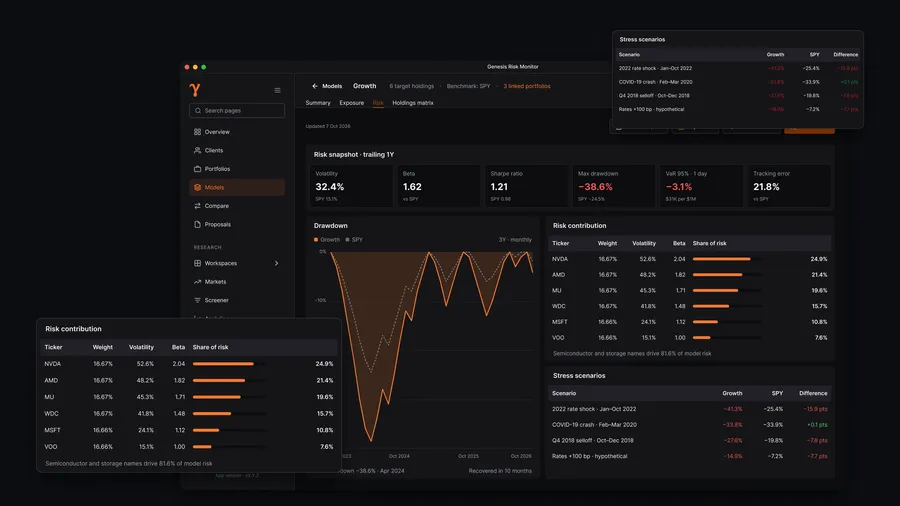
Analyze portfolio risk
Review portfolio risk, allocation, concentration, exposure, performance, backtests, and supported scenarios.
Learn more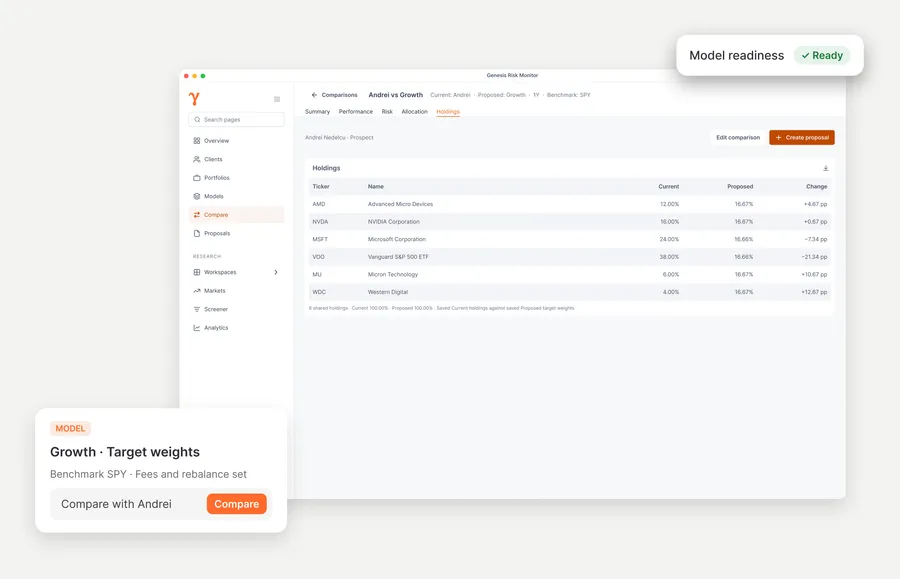
Compare with your model
Compare the portfolio with the advisor-created model selected for the conversation. Genesis Risk Monitor does not select or recommend the model.
Learn more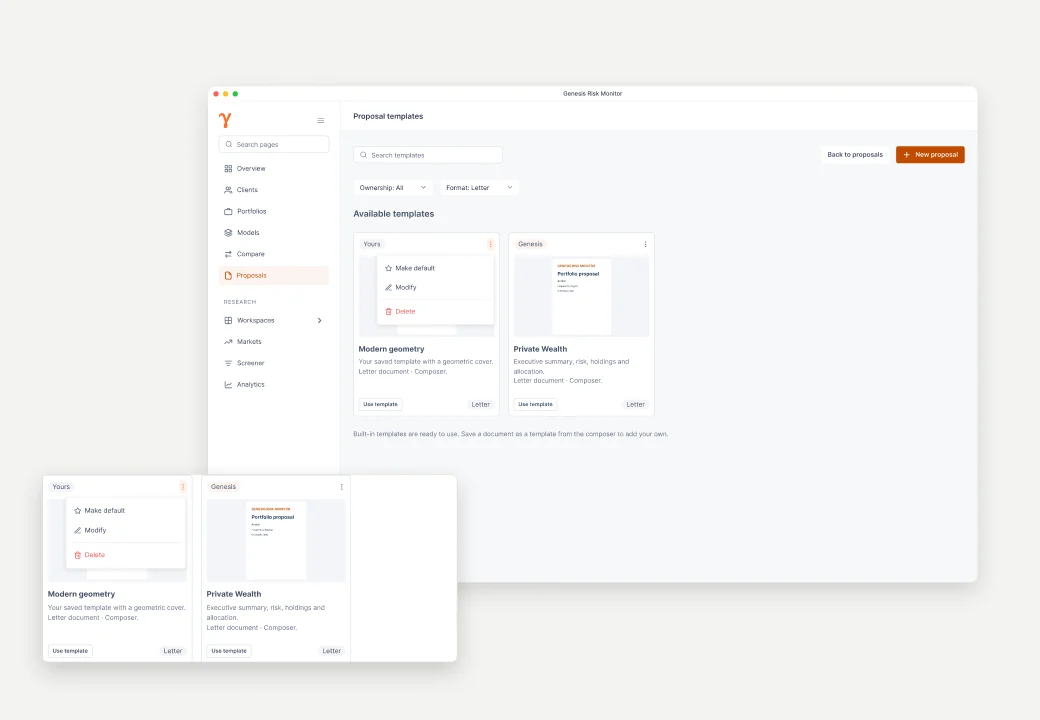
Propose and export
Carry the relevant evidence into an editable proposal with advisor-controlled narrative and structure, then export it to Word or PDF.
Learn moreBuilt for the conversations
that shape advice
Prospect portfolio review
Start from the portfolio a prospect brings to the conversation.
Existing client review
Revisit risk, exposure, performance, and changes in context.
Model portfolio comparison
Show the differences against the model selected by the advisor.
Proposal preparation
Move completed findings into an editable client document.
Analysis that supports your judgment,
not a replacement for it
Genesis Risk Monitor provides the analytical evidence for the portfolio conversation. Model selection, recommendations, and suitability remain with the advisor.
What Genesis Risk Monitor provides
- Portfolio analytics
- Portfolio comparison
- Model-portfolio management
- Risk calculations
- Research context
- Proposal preparation
- Exportable documents
What it does not provide
- Investment advice or recommendations
- Automatic model selection
- Suitability determinations
- Trading or custody
- Legal, tax, or accounting advice
- Comprehensive financial planning

Bring the next portfolio conversation into focus
New to Genesis Risk Monitor? The Advisor Program gives you 90 days of complimentary Pro access, guided onboarding, and direct support.