Edit what the client sees
Edit the narrative, structure, charts, tables, supported custom pages, company branding, disclosures, and final delivery approach.
Genesis Risk Monitor helps financial advisors and RIAs start with portfolio analysis and advisor-created model comparison rather than a blank template. Carry the relevant evidence into an editable investment proposal, control the narrative and structure, and export to Word or PDF. The advisor selects the model and controls the final communication; Genesis Risk Monitor does not provide investment advice.
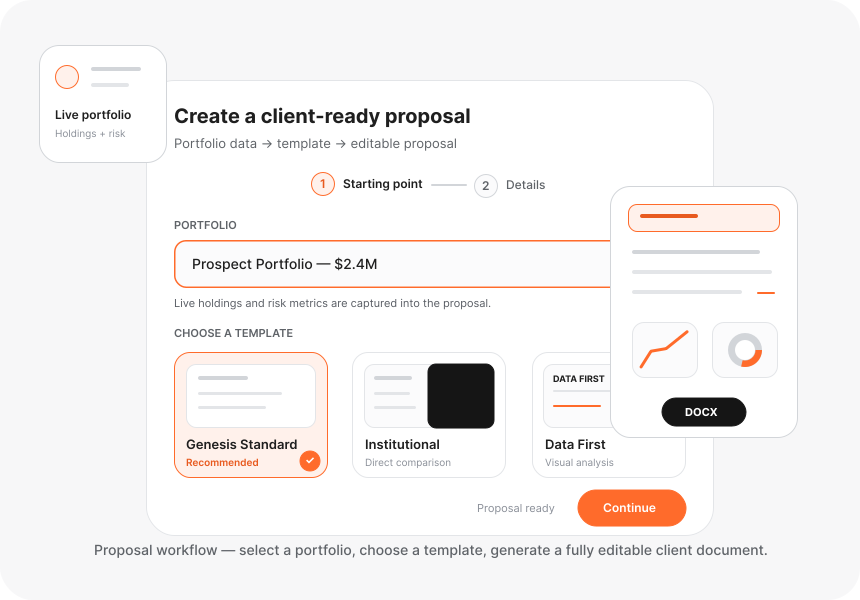
Start with a client or prospect portfolio and the completed portfolio evidence.
The advisor selects the advisor-created model used for comparison.
Carry findings, comparison evidence, charts, and tables into an editable document.
Control the narrative, structure, custom pages, branding, disclosures, and final communication.
Continue editing in Word or provide the finished proposal as a PDF.
Carry relevant risk findings, allocation, exposure, performance, charts, and advisor-created model-comparison evidence into the document rather than rebuilding it in a disconnected template. This wealth management proposal software workflow preserves context while leaving the document editable.
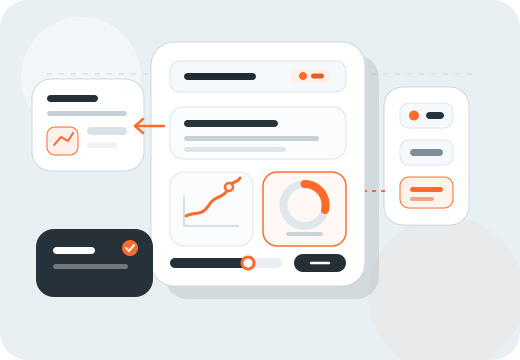
Edit the narrative, structure, charts, tables, supported custom pages, company branding, disclosures, and final delivery approach.
Genesis Risk Monitor does not recommend investments or select the model. The advisor retains control of the model, interpretation, proposed approach, and client communication.
Pro is the advisor plan for client and prospect portfolios, advisor-created models, portfolio comparison, and editable proposal preparation.
See the broad portfolio analytics and proposal software features, the financial advisor workflow, advisor-owned model portfolios, and portfolio comparison evidence before comparing Genesis Risk Monitor plans.
Clear answers about trial access, Pro-plan capabilities, editable documents, and advisor control.
Proposal Builder is included with Genesis Risk Monitor Pro, the advisor plan. The pricing page lists Pro plan limits and included proposal capabilities.
Yes. Financial advisors can start a Pro free trial to evaluate the connected portfolio-analysis, model-comparison, and editable proposal workflow before subscribing.
Yes. Genesis Risk Monitor Pro includes company branding for proposals, so advisors can apply their own firm context to the client-ready document.
Yes. Genesis Risk Monitor Pro includes the ability to add custom proposal pages, allowing the advisor to control the structure and supporting information included for a client.
Yes. Word export produces an editable document, so the advisor can continue refining narrative, disclosures, or firm-specific material after export.
No. The advisor creates and chooses the model used in a comparison. Genesis Risk Monitor provides analytics and editable document tools; it does not provide investment advice, recommendations, or automated model selection.
Use connected portfolio evidence, keep the model selection and narrative under advisor control, and export the final document to Word or PDF.